

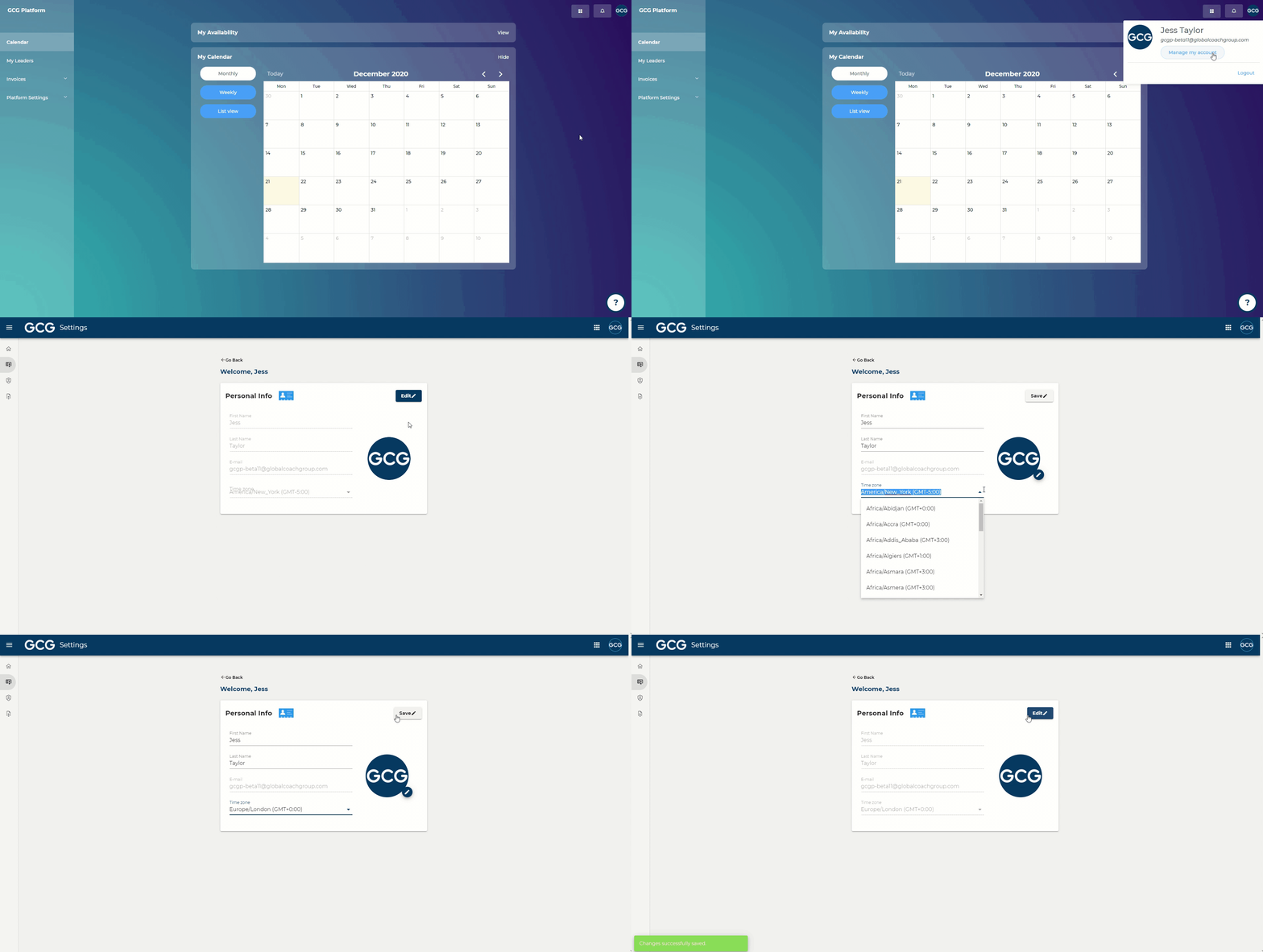
Steps:
In the top right of your screen, click on your profile icon
Click "Manage my account"
Click "View" in Personal Info
Click “Edit”
Under “Time zone,” select your time zone
Click “Save”
Please note: if you move locations at any point, please update your time zone, as this affects which leaders are able to find you in the coach selection process. Leaders are presented with a list of the top 15 coaches within 8 hours (+4hr, -4hr) of their time zone. To review what impacts your visibility to coaches, visit the Coaching Categories page within the GCG Platform.