

There are two categories of sessions that are booked on the GCG Platform:
Introductory sessions: between 20-30 minutes in length + 30-minute buffer = 1 hour gets blocked out automatically once an introductory session is booked.
Sessions 1-10: 90 minutes in length + 30-minute buffer = 2 hours get blocked out automatically once a coaching session is booked.
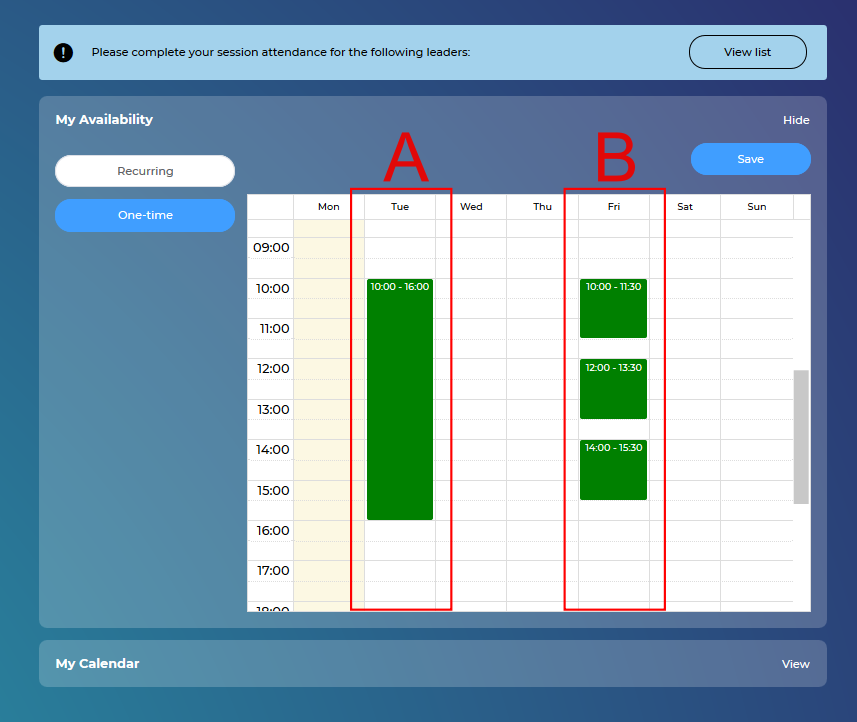
Let’s say you are available to coach 6 hours per day, from 10:00 to 16:00. You can manage this on your calendar in two ways.
A. Input one block of 6 consecutive hours (i.e. 10:00 – 16:00)
When a leader tries to schedule a coaching/introductory session with you, the hours the leader sees as available for coaching are: 10:00, 10:30, 11:00, 11:30, 12:00, 12:30, 13:00, 13:30, 14:00, 14:30 (this entails, of course, that no sessions have been booked yet).
This method gives the leader more options when it comes to available hours they can select. Therefore, if a leader schedules a coaching session at 11:00, for example, the system will block out automatically 1.5 hours (the duration of the meeting) + an additional 0.5 hours (the 30-minute buffer needed in between sessions). This means that the next hour that becomes available is 13:00 (assuming that there are no scheduled sessions in the afternoon).
The time slot from 10:00 to 11:00 will be displayed only to leaders that want to schedule an introductory session with you (assuming that you still have available engagements left).
In this method, the 30-minute buffer will be automatically added once a session gets booked.
B. Input 3 separate blocks of 1.5 hours each, with a 30-minute break in between slots (i.e. 10:00 – 11:30, 12:00 – 13:30, 14:00 – 15:30)
When a leader tries to schedule a coaching/introductory session with you, the available hours the leader sees are: 10:00, 12:00, 14:00.
This method allows you more freedom to decide when the sessions start.
The system will recognize the 30-minute break you leave in between sessions as a buffer; therefore, it will not be adding it automatically.
Please note that the system will make these blocks 1.5 hours each automatically (this will allow for all three types of sessions to be booked - ref. the three categories above).
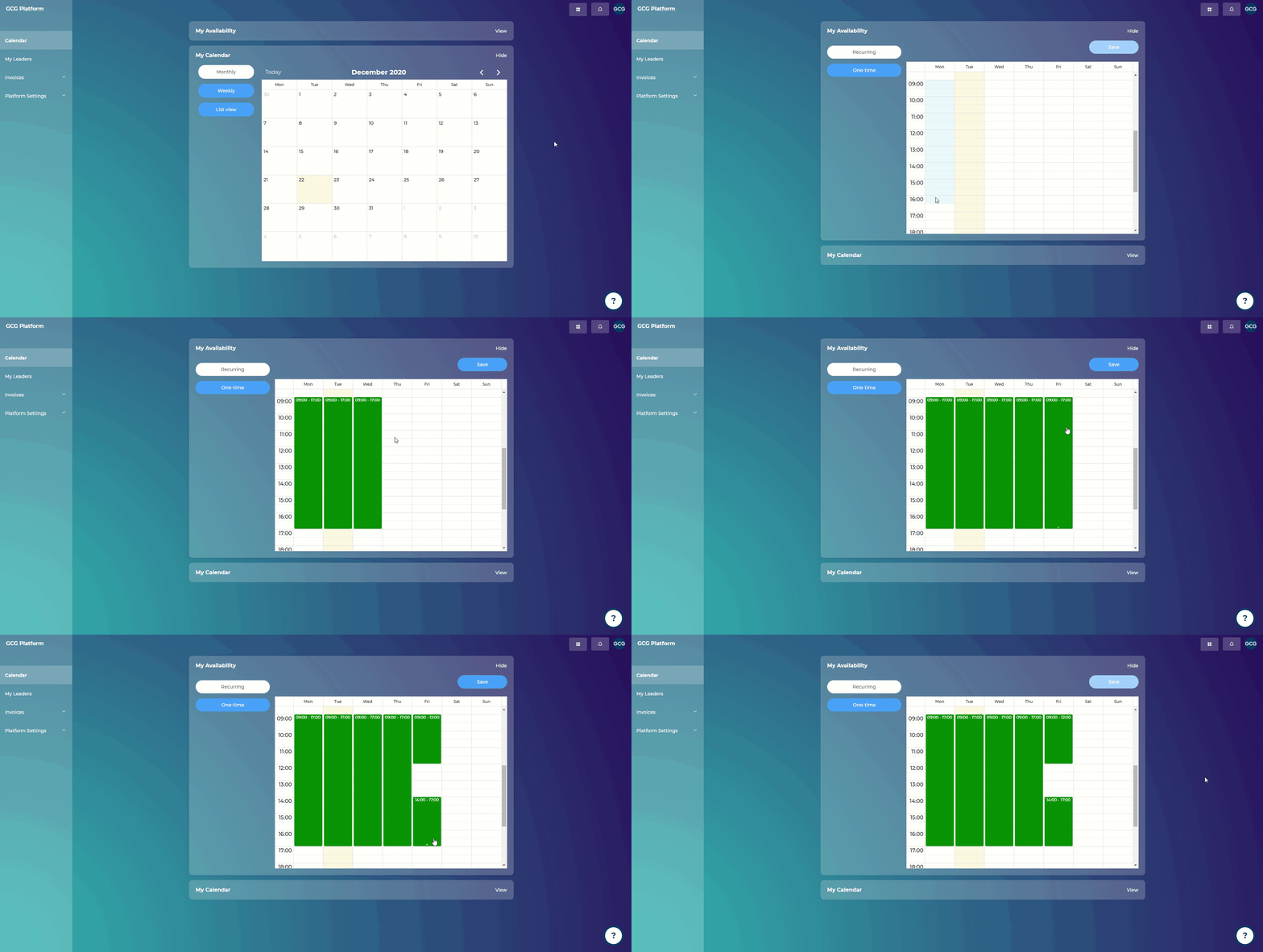
Steps:
Go to “Calendar”
Click on “View” in the top right corner, in "My Availability"
Click on the cell corresponding to your available day and time
You can click on the double-headed arrow and drag down to extend the time you wish to appear available (green cells)
Click “Save”
How do leaders book their sessions in the coach’s agenda?
Leaders schedule coaching sessions directly into the coach’s agenda and receive an immediate confirmation via email. The coach gets an email confirmation as well.
We can’t emphasize enough the importance of maintaining an updated calendar on the Coaching Platform. Leaders will book their introductory and coaching sessions directly into your calendar. This will not reach your inbox as a suggestion, but as a session booked.
Can I cancel or reschedule a session?
Coaches should not cancel or reschedule a session except in an emergency situation. Should such a situation arise, you must contact your leader outside of the platform, and request that they reschedule/cancel with you. The coach is not able to change session times on their own in the platform.
When is the latest a Leader can cancel a coaching session?
The leader can cancel anytime up to the meeting time. The system does not prevent any of that.
What if the leader cancels within 48 hours of the scheduled session?
When a leader cancels a coaching session last-minute (within 48 hours), a ‘Cancellation Notice’ is emailed to the coach to respond to. The coach is called upon to make a decision that will lead to one of the following:
a. the leader will reschedule that session with no change in the number of remaining sessions.
b. the leader will reschedule that session with a reduced number of remaining sessions (-1 session).
It is recommended that the coach responds to this notice as soon as they are able to. Most coaches are open to allowing leaders to reschedule canceled meetings with NO penalty (-1 session), even if a leader does this 1-2 times during an engagement. In the end, more coaching results in better leadership growth results and better reviews for coaches, which benefits everyone involved.
For questions email us at Support@GlobalCoachGroup.com.
What if a leader is late or never shows up to a coaching session?
We have devised the following steps to support you in dealing with late or no-shows:
After 5 minutes have passed and the leader is not present, please call, text, or email the leader to find out if they can make it to the session. For example: “We have a coaching session that is scheduled to take place now. Please confirm within the next 10 minutes if you are able to make it.”
Please give the leader up to 10 minutes to respond.
If the leader responds and says that they are able to join the session WITHIN 20 minutes of the scheduled start time, please wait and rearrange your tasks as much as possible to accommodate the reduced time frame of the session.
If the leader indicates that they are unable to make it WITHIN 20 minutes of the scheduled start time, needs to cancel, or does not respond, the session meeting is automatically canceled.
You are then able to complete the Session Attendance on the coaching platform as "No," which will prompt you to decide whether to penalize the leader (deduct 1 session from the engagement), or allow them to reschedule without a penalty.