
In order to be marketed to the GCG network of leaders, please make sure the following fields of your coach profile are complete and published:
First and last name
Profile picture
Locations (at least 1 location)
Languages (at least 1 language)
Years of coaching experience
Bio
Experience
Qualifications
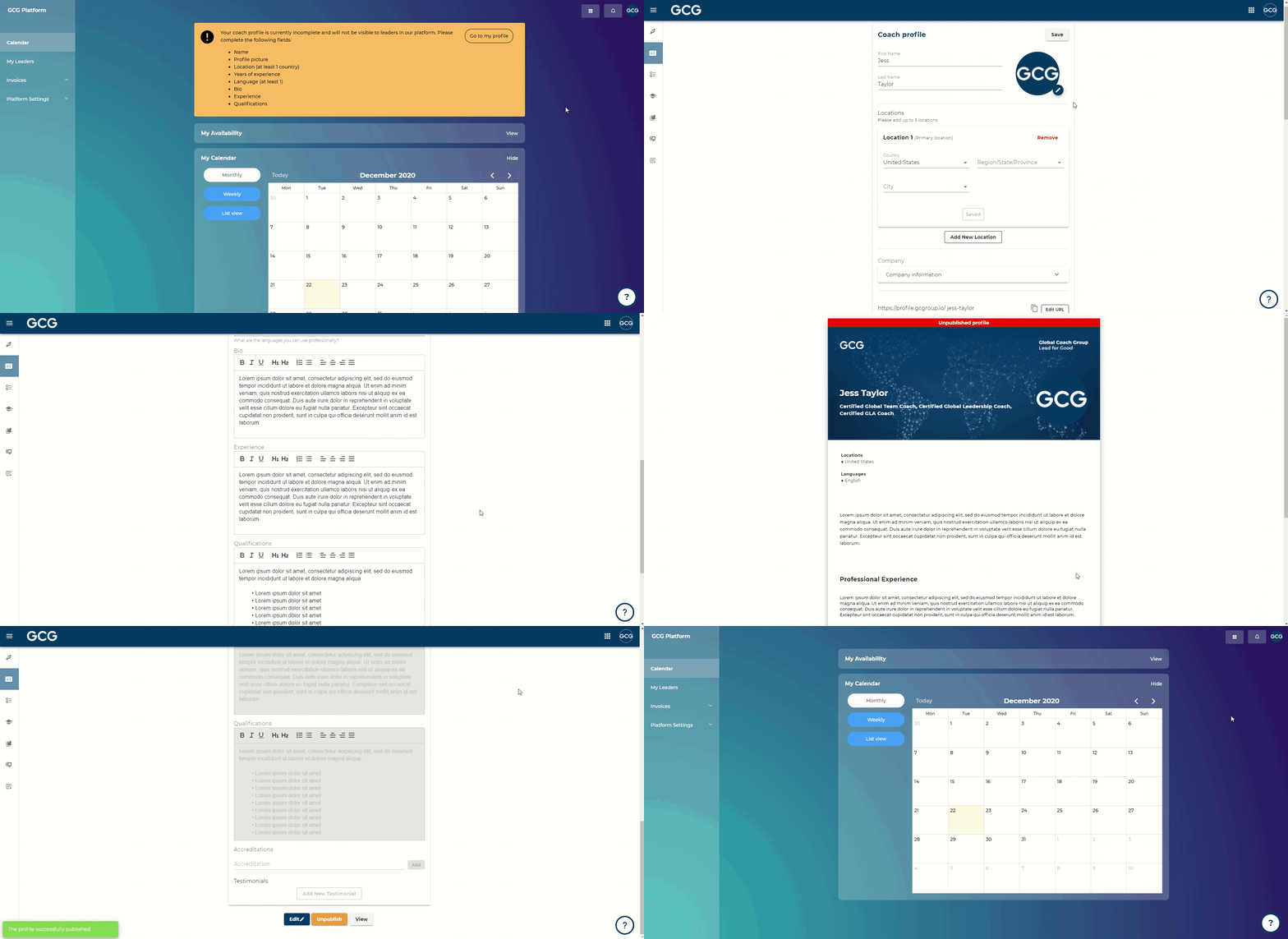
Steps:
Go to Coach Dashboard
Go to Coach Profile
Click “Edit” in the top right corner
Add in your profile information
Click “View Draft” to review your profile
Click “Publish” once you are ready to showcase your profile