

Logo

What are you looking for?

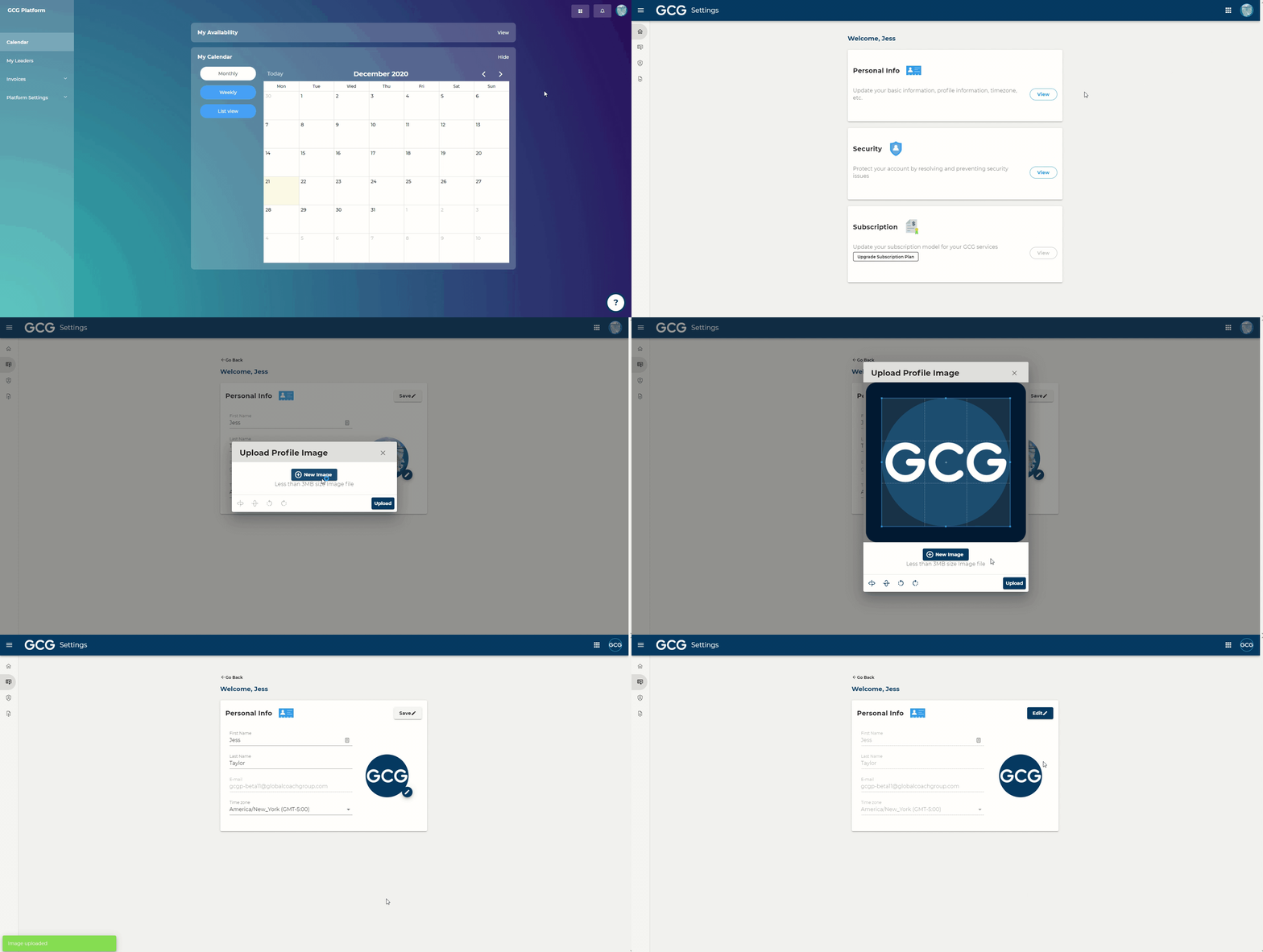
How to update your profile picture

Getting Started

How to update your profile picture

Last updated on 21 Dec, 2020

Image

Steps:

  1.  In the top right of your screen, click on your profile icon

  2.  Click "Manage my account"

  3.  Click "View" in Personal Info

  4.  Click “Edit”

  5.  Click on the pencil icon that appears next to your profile picture 

  6.  Select a photo from your computer

  7.  Click “Upload”

Did you find this article helpful?
Previous

How to update your time zone

Next