

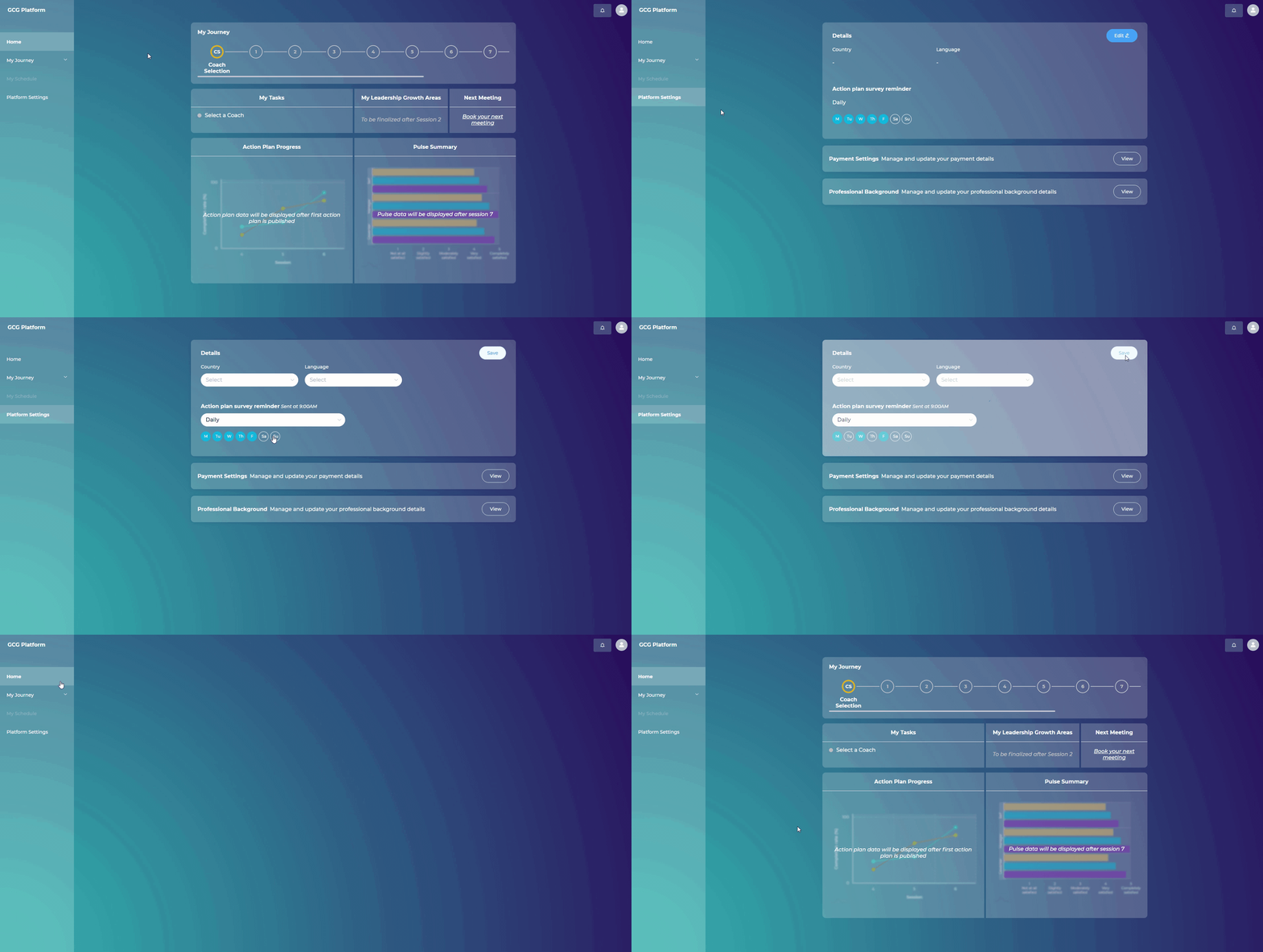
Your leader has the option to set reminders to get notified to take the action plan survey, which is an excellent way to make sure they remember to implement your action plans. The initial settings on the coaching platform are for receiving daily reminders. In case they wish to change these settings, they can do this within "Platform Settings." We recommend setting reminders for at least every other day, especially in the beginning, to help them build up enough momentum that implementing their action plans becomes a habit, not an exception.
Steps:
Go to “Platform Settings”
Click on “Edit” in the upper right side of the page
Under “Action Plan reminder” select the days when you wish to receive the action plan reminders
Click “Save”