

In the first session, you and your client will work to articulate their strengths and areas to develop. From this discussion, your client and their manager will align on your two highest-value growth areas (Leadership Growth Areas / LGA's) during your second session. This is how your leader can publish their Leadership Growth Areas once they have been finalized.
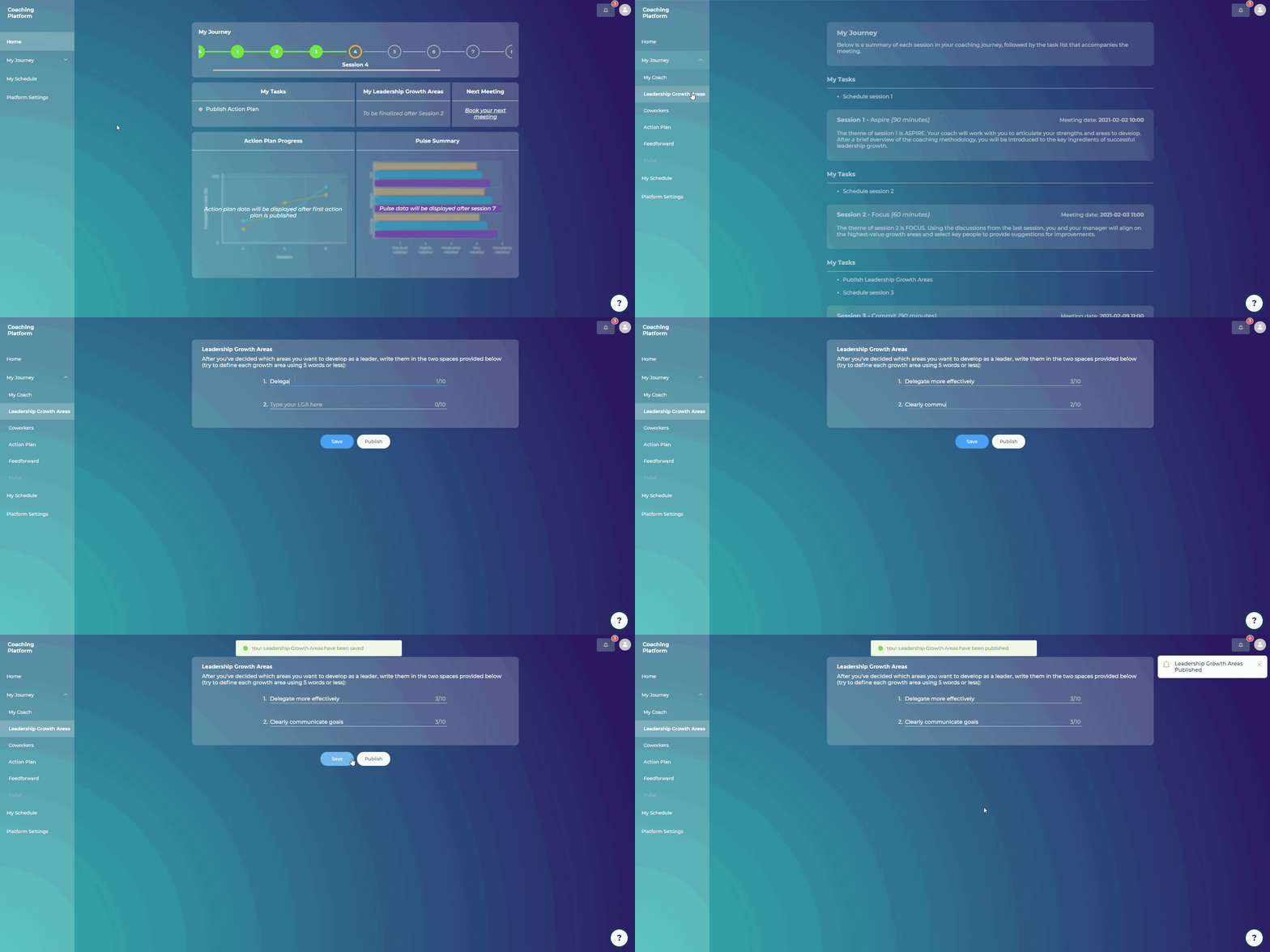
Steps:
Go to “My Journey”
Click on “Leadership Growth Areas”
Fill out the two spaces provided with the two areas you want to develop as a leader (try to define each growth area using 5 words or less)
Click on “Publish”
You will be asked to confirm that your two Leadership Growth Areas have been agreed with your Manager
Click “Yes”
Note: You as their coach will receive an email notifying you that these LGAs have been published.