

Involving coworkers in the leadership growth process requires courage to face weaknesses and ask for suggestions. It requires humility to listen, take into consideration the suggestions, and ask for accountability in making those changes. Finally, involving coworkers requires discipline to turn their suggestions into visible action on a daily basis.
Once the coworkers have been confirmed, they will receive an email inviting them to provide suggestions on how your leader can improve in your leadership growth areas. They will be asked to describe the actionable behaviors they believe will lead to an improvement in their leadership effectiveness.
This is how your leader can add and publish their coworker list:
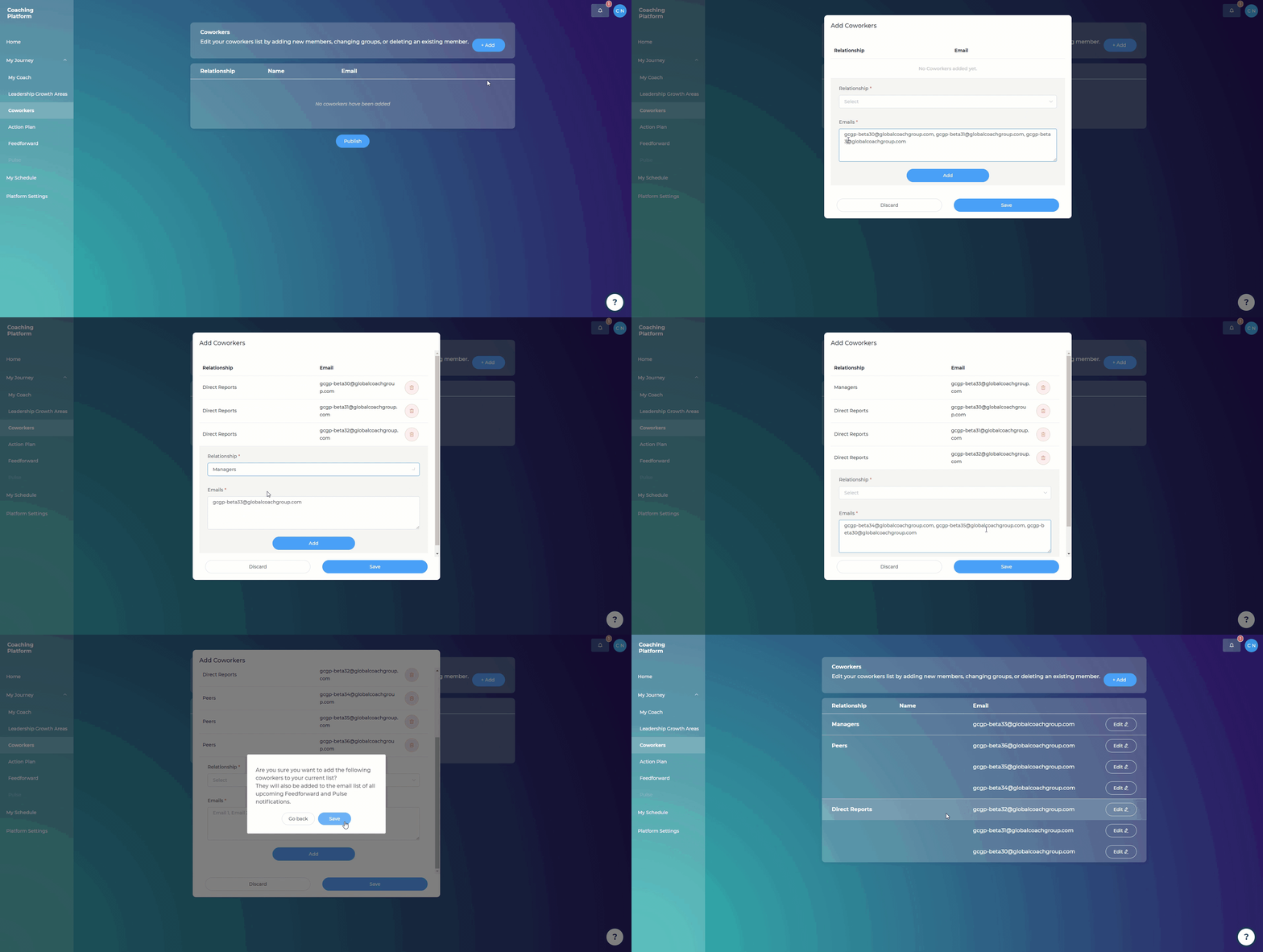
Steps:
Go to “My Journey”
Click on “Coworkers”
Click “Add”
Fill out your coworkers’ details in their respective breakout groups
Click "Add" after each (set of) email(s) has been added
Click “Publish” to finalize the Coworker List*
Click “Yes”
*Your client will be able to publish this list after session 3 has been completed.
Please note that your leader needs to have a total of at least 3 coworkers for the breakout groups "peers" and "direct reports" to be able to publish the Coworker List. If, for instance, they have 1 peer and 2 direct reports, these 3 coworkers will have to be merged in the breakout group "Other", which will allow them to publish the Coworker List.
We recommend choosing between 6 and 12 coworkers, however, the system will allow you to add more than 12 coworkers to the list.
Once your leader has published their Coworker List, the coworkers will be receiving an email letting them know that they have been selected as a key participant to help the leader along in the process.