

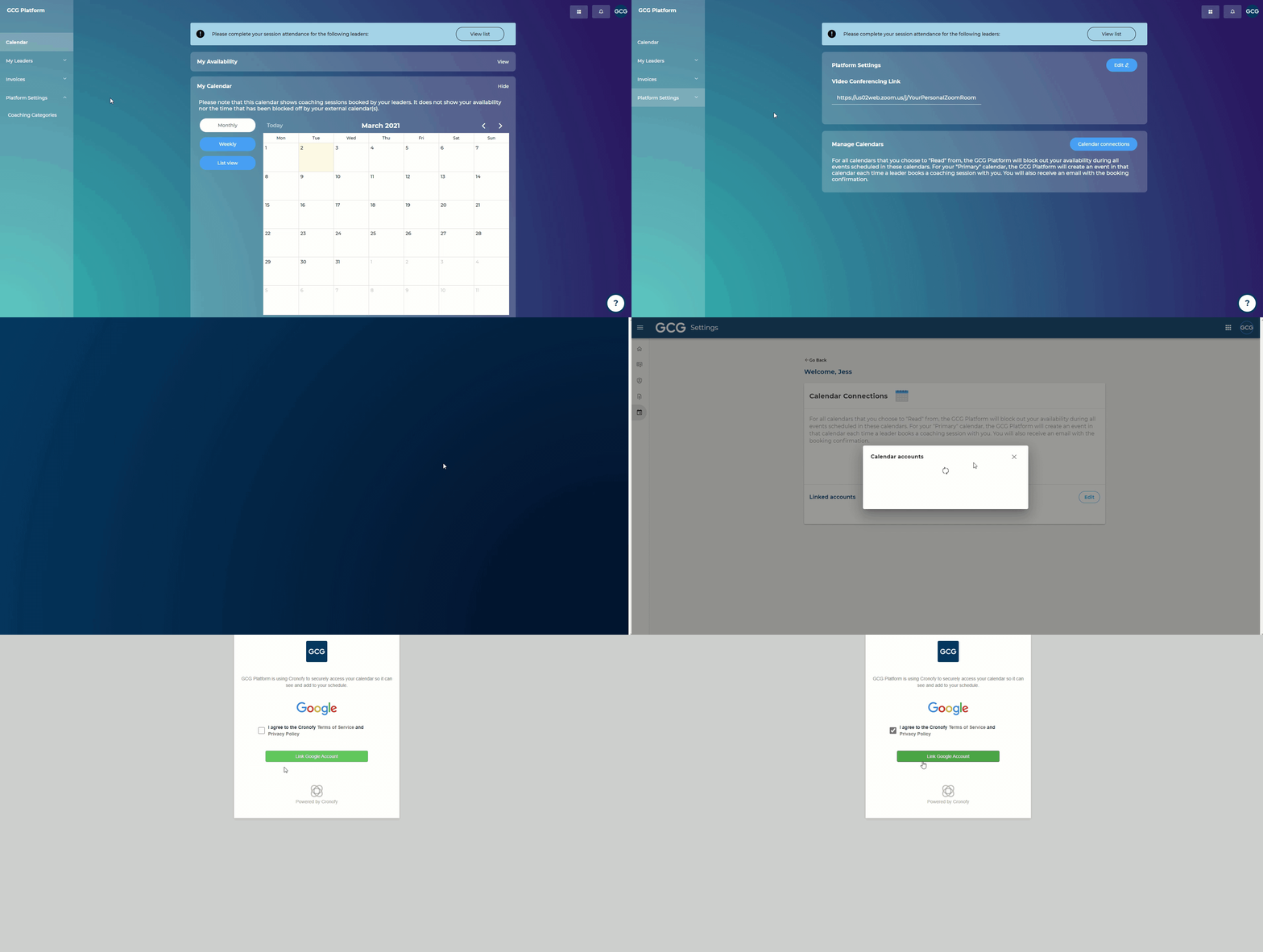
Syncing your external calendar(s) within your centralized settings page will automatically apply to the GCG Platform and other multinational versions of the GCG Platform that you may have access to.
Steps:
Go into "Platform Settings"
Click "Calendar connections"
Choose your external calendar service provider
Agree to allow Cronofy (our calendar service partner) to access your calendar
Choose which account to sync
Once your account appears in the list, click "Edit" next to "Linked accounts"
Choose which calendar to set as your "Primary," which means that future booked coaching sessions will be added to that calendar
(Optional) You can also choose to "Read" from multiple calendars, which means that the platform will block out any time that has been scheduled in those calendars. It will not add the coaching sessions to these calendars, and only reference them to block out time
Syncing your external calendar alone will NOT open up availability to leaders. Please also add in your available times via the Calendar menu.