

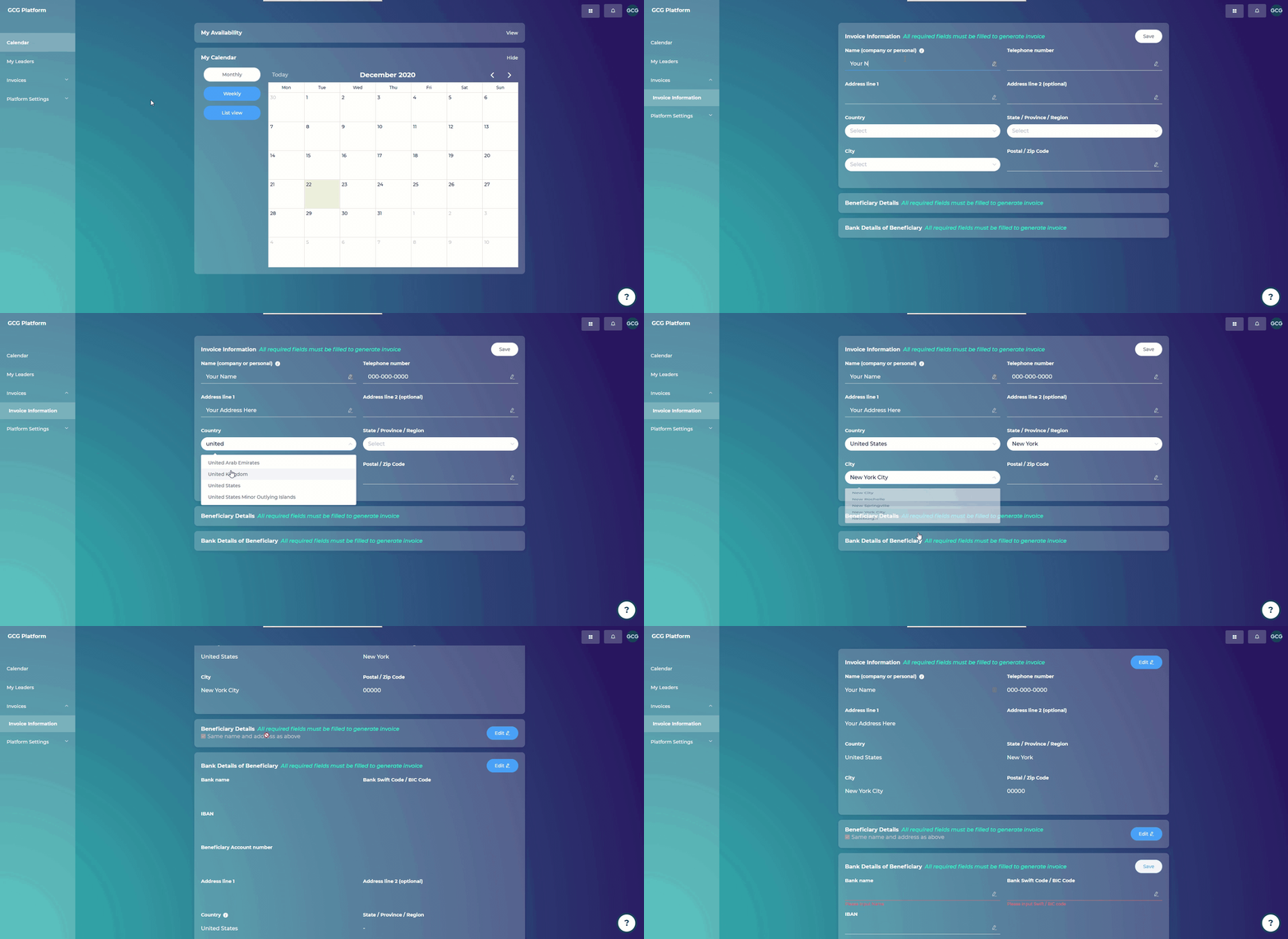
Go to “Invoice Information” under “Invoices”
Click “Edit” in the top right corner
Add in your invoice information
Click “Save”
When an invoice is ready to be generated, you will be notified via email.
Payouts occur after Session 4, Session 7, Session 10, and Session 13.
For details on coaching fee payouts, please see here: info.gcgroup.io/platform/payouts
IMPORTANT NOTE: We will be updating the GCG Platform to allow input of regions not listed in the dropdowns. We apologize for this inconvenience, and this will be updated at the top of 2021. If you finish Session 4 with a client before this is ready (e.g. timing for the first coaching fee payout), then we will go ahead and generate this invoice for you manually. If you are in this situation, please reach out to us at Support@GlobalCoachGroup.com