
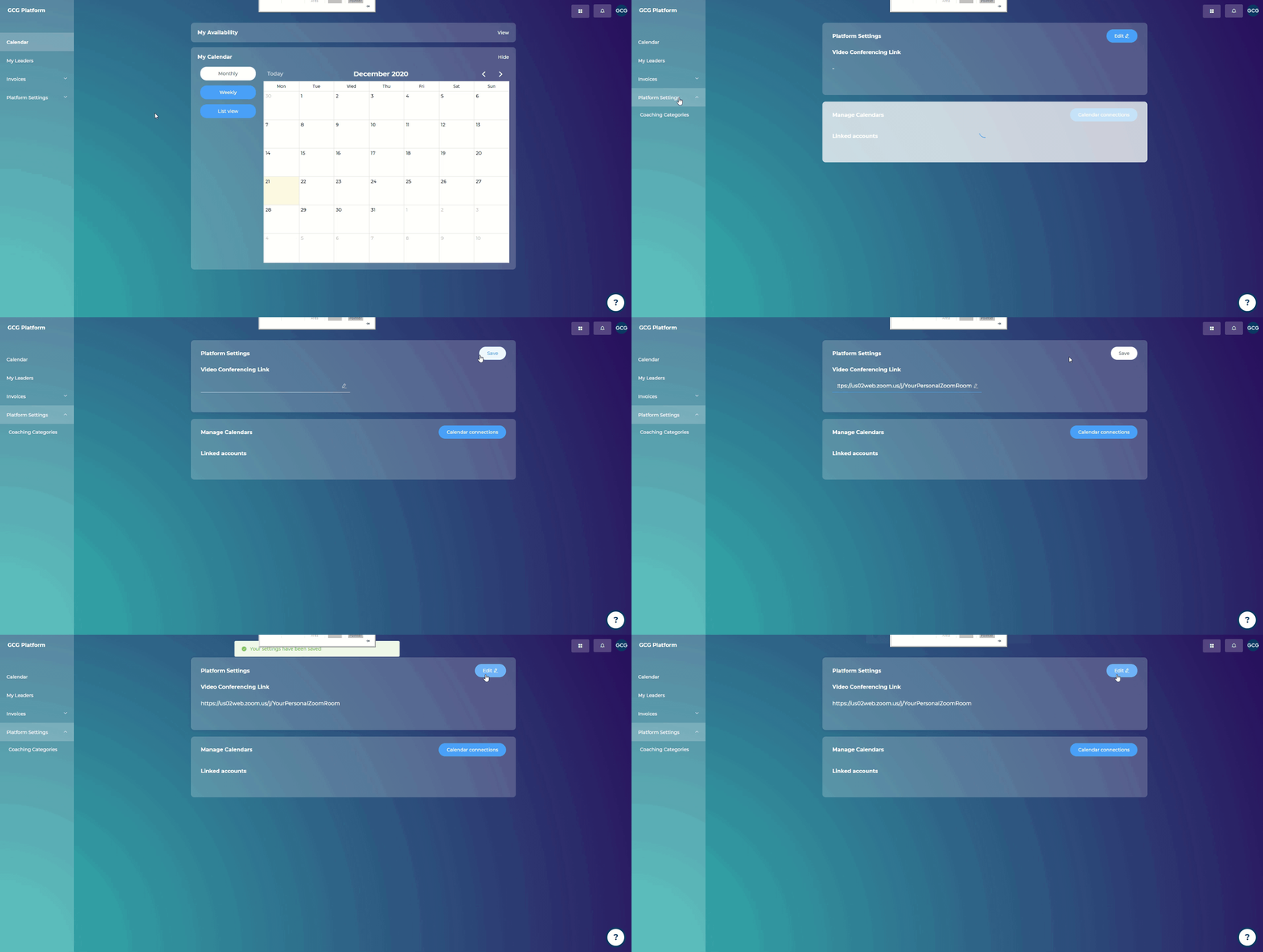
Steps:
Go to “Platform Settings”
Click “Edit” in the top right corner
Add in your video conferencing link
Click “Save”
This link will be shared with leaders, once they book any sessions with you on the platform.

What are you looking for?
Getting Started
Last updated on 21 Dec, 2020
Steps:
Go to “Platform Settings”
Click “Edit” in the top right corner
Add in your video conferencing link
Click “Save”
This link will be shared with leaders, once they book any sessions with you on the platform.