

After each coaching session, you will need to mark the meeting as "complete" on the platform.
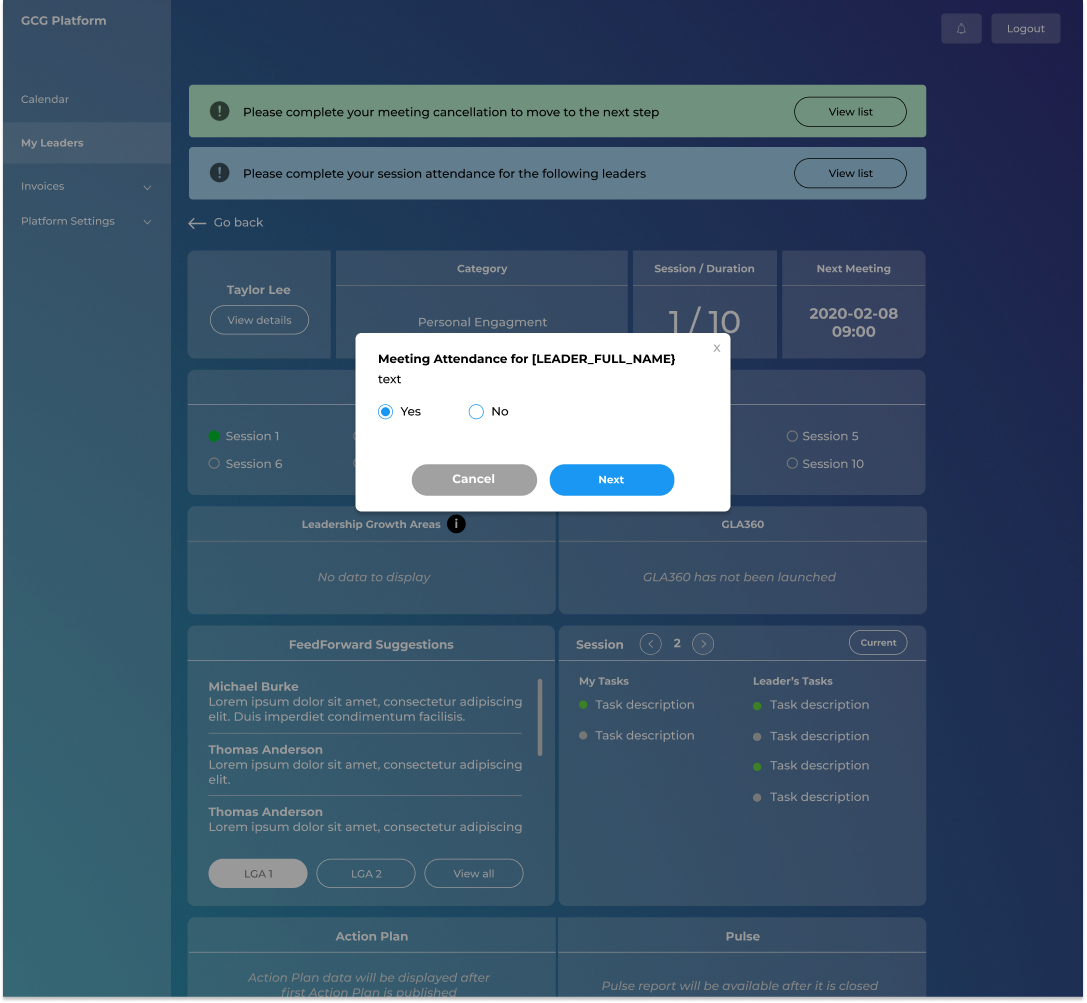
You will see an alert on the platform prompting you to mark session attendance for a leader (if applicable), and you will see this pop up:
Immediately after you mark meeting attendance, you will be asked whether you need to launch the GLA360 for this engagement:
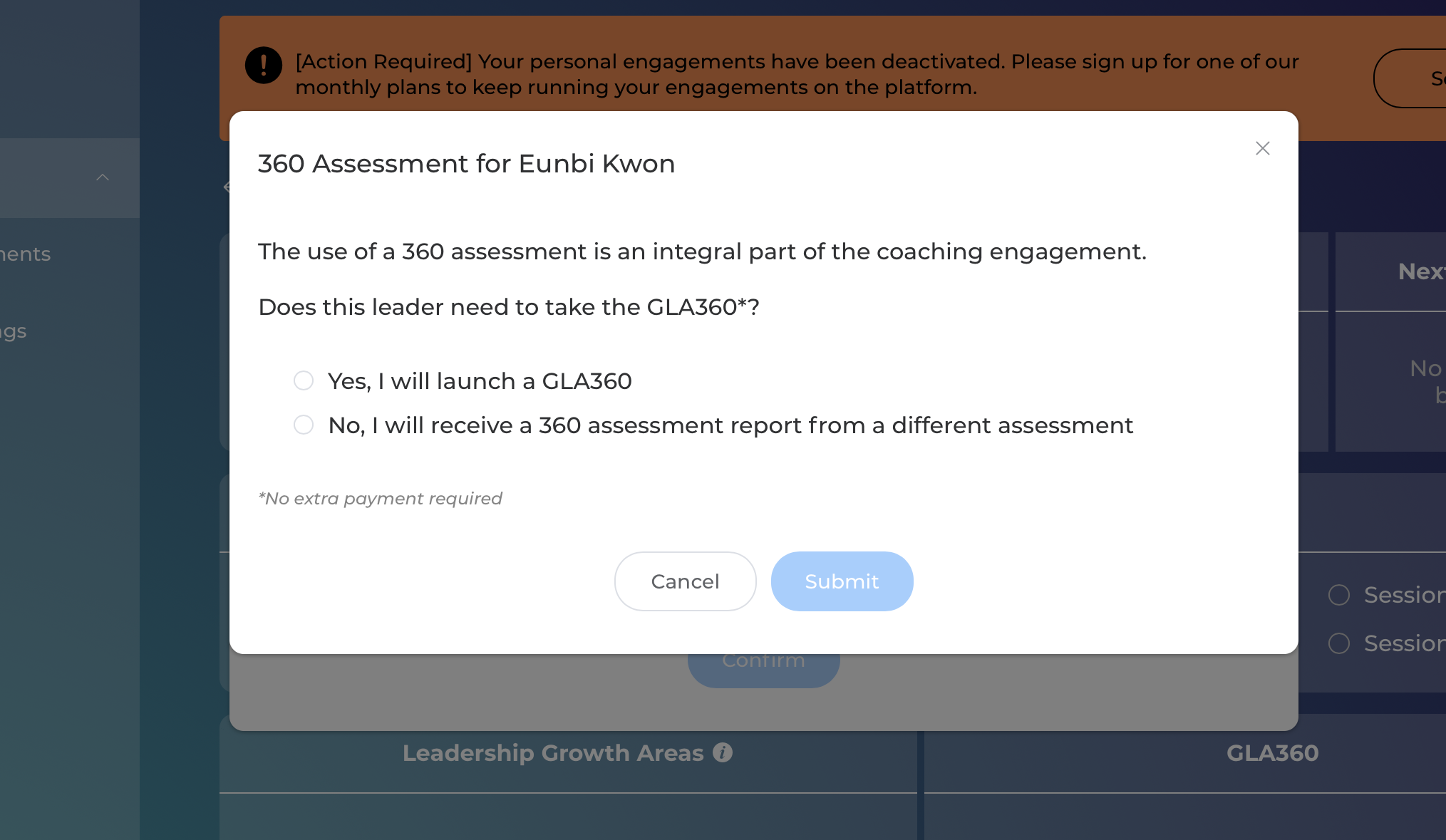
When you submit "Yes," it will take you to the GLA360 platform, with 1 extra assessment added to your account to run the assessment for this coaching engagement. If you do not yet have access to the GLA360 service, it will automatically give you access to the service with 1 added assessment on your account.
Please note: There is no additional charge to launch the GLA360 for an engagement on the GCG Platform. For example, if you are on the Professional Plan of the All-in-One Coaching Toolkit, you would be able to launch up to 10 GLA360s, for the leaders you add to the GCG Platform.