

Your clients will not be able to edit their Leadership Growth Areas once they have been published.
You, as their coach, will have the ability to edit the LGAs prior to the receipt of any feedforward suggestions from coworkers. (The first feedforward email to coworkers goes out one week before Session 4)
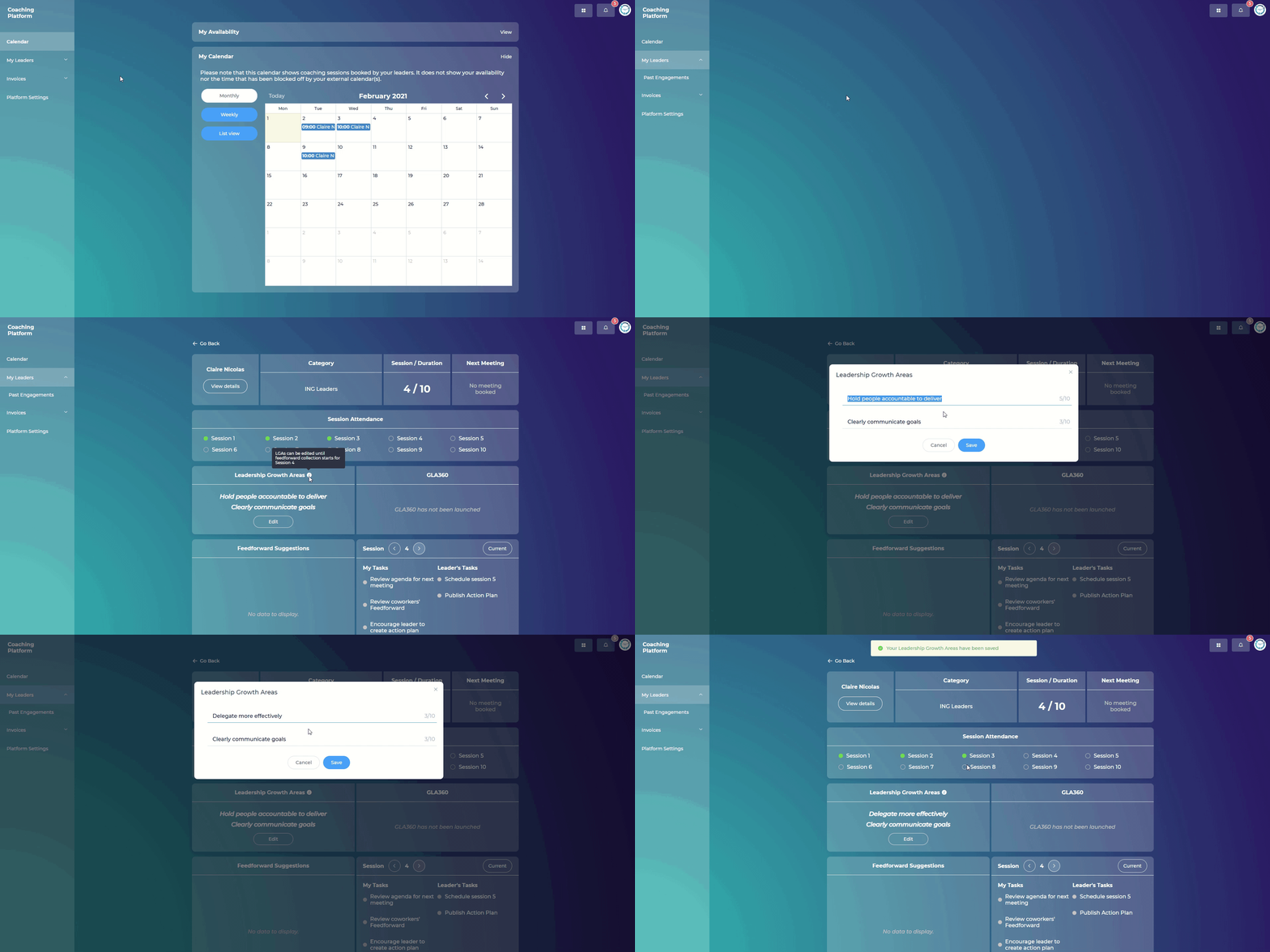
Steps:
Go to "My Leaders"
Click on your leader
Under "Leadership Growth Areas" click "Edit"
Input the new LGA that has been agreed upon with your leader, and click Save
After the feedforward emails have gone out to coworkers, the Leadership Growth Areas may no longer be edited, to preserve the validity of the data (the coworkers' survey responses around the Leadership Growth Areas, as well as suggestions) related to the coaching engagement.