

As the coach, you are able to add / edit / publish the Coworker list, on behalf of your leaders.
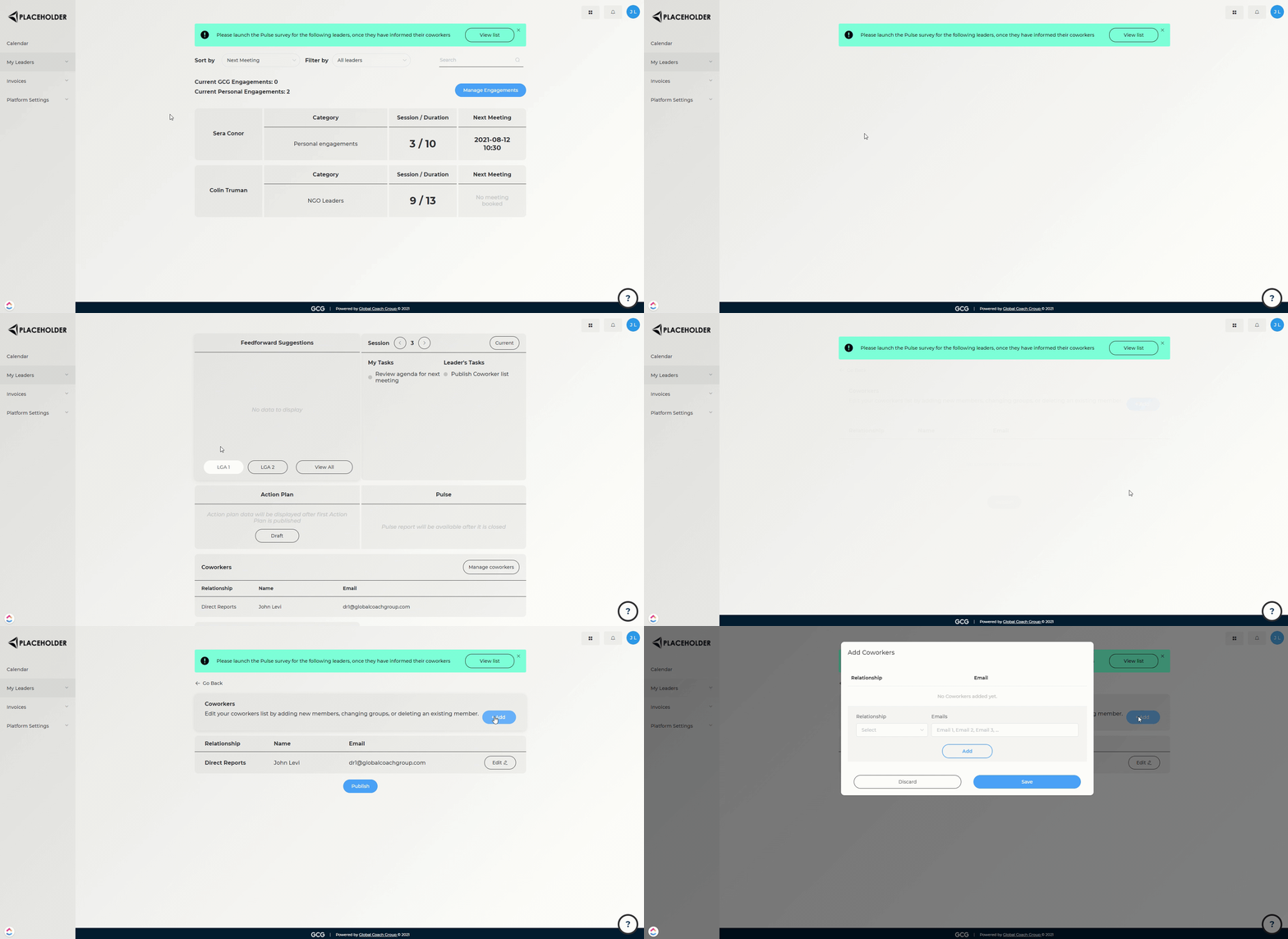
Steps:
Go to the Leader Details page of the engagement you wish to edit
Scroll down to the Coworkers section, and click "Manage coworkers"
Add / edit / publish as necessary
To see how to manage the Action Plan on behalf of your leader, click here.