
On the Business plan of the All-in-One Coaching Toolkit, you will be able to add co-branding to the GCG Platform for your personal clients. You can showcase your brand logo on the top left corner of the platform for you and your personal clients, as well as change the background color of the platform.
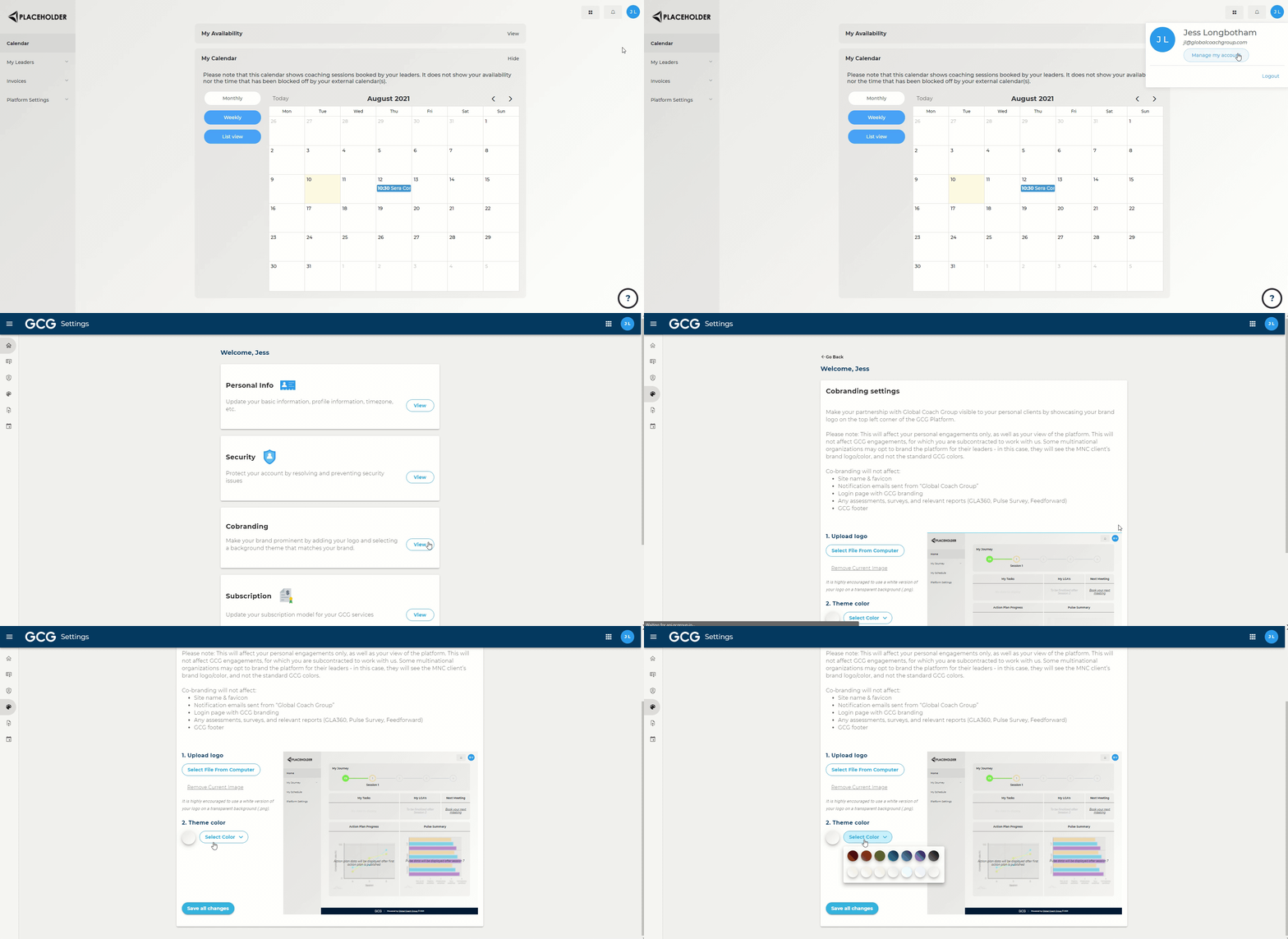
Steps:
In the top right, click your profile icon
Go to "Manage your account"
Go to "View" under "Co-branding"
Upload a logo of your choice, and choose a background color that matches your brand
Please note: This will affect your personal engagements only, as well as your view of the platform. This will not affect GCG engagements, for which you are subcontracted to work with us. Some multinational organizations may opt to brand the platform for their leaders - in this case, they will see the MNC client’s brand logo/color, and not the standard GCG colors.
Co-branding will not affect:
Site name & favicon
Notification emails sent from “Global Coach Group”
Login page with GCG branding
Any assessments, surveys, and relevant reports (GLA360, Pulse Survey, Feedforward)
GCG footer